Using Decision Models
Decision models answer structured, typed questions instead of generating text. Given a state — the situation the decision is made against — and a set of questions, a decision model returns a typed verdict per question: a picked option, a level score, or a yes/no answer, usually with confidence values. They are used where a full generation is wasteful, such as model selection and routing, classification, and lightweight judging tasks.
In GPUStack, decision models are served through the System One (Jev) decision contract at the /v1/systemone endpoint. In this guide, we will demonstrate how to deploy and use decision models in GPUStack.
Prerequisites
Before you begin, ensure that you have the following:
- GPUStack is installed and running. If not, refer to the Quickstart Guide.
- Access to Hugging Face for downloading the model files.
Step 1: Deploy the Model
GPUStack currently supports two kinds of deployments serving the decision API:
vLLM: Repurpose a Text Generation Model
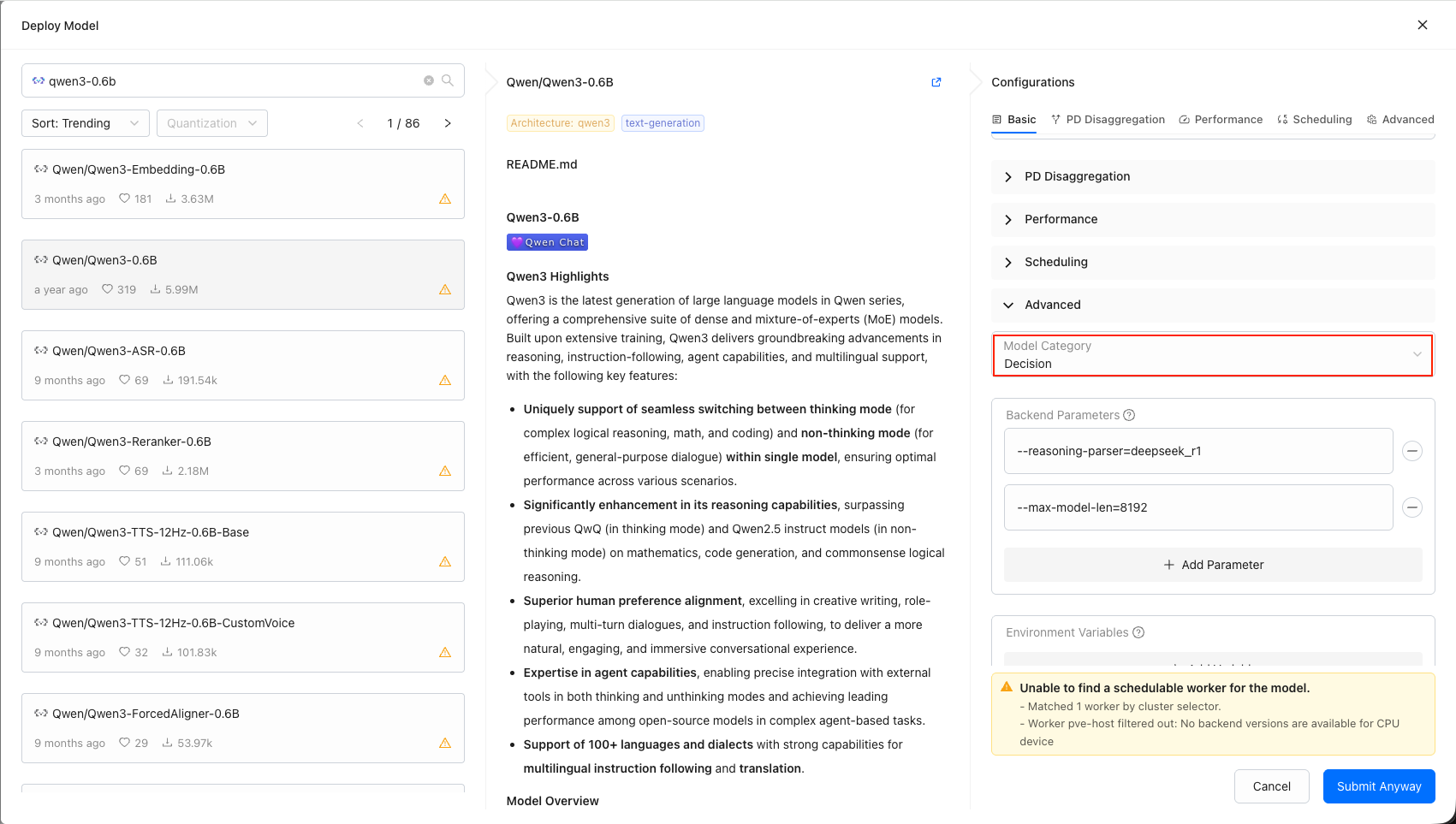
vLLM 0.32.0 and later serve the System One decision contract on their regular serving port. Deploy any text generation model with the vLLM backend as usual, then change the model's category to Decision — the category is what tells GPUStack the deployment is a decision service.
- Deploy a text generation model with the
vLLMbackend (version0.32.0or later). See Model Deployment Management. - Edit the model, and set
CategorytoDecisionin the model's settings.
llama.cpp: Serve a Laya Decision GGUF
Laya decision GGUF files carry a decision metadata key on an otherwise generic backbone (modern-bert, qwen, llama). Deploy the GGUF like any other GGUF model and it is served by llama.cpp: GPUStack detects the decision metadata during deployment and files the model under the decision category automatically — without it, the same file would be misread as a reranker or embedding model.
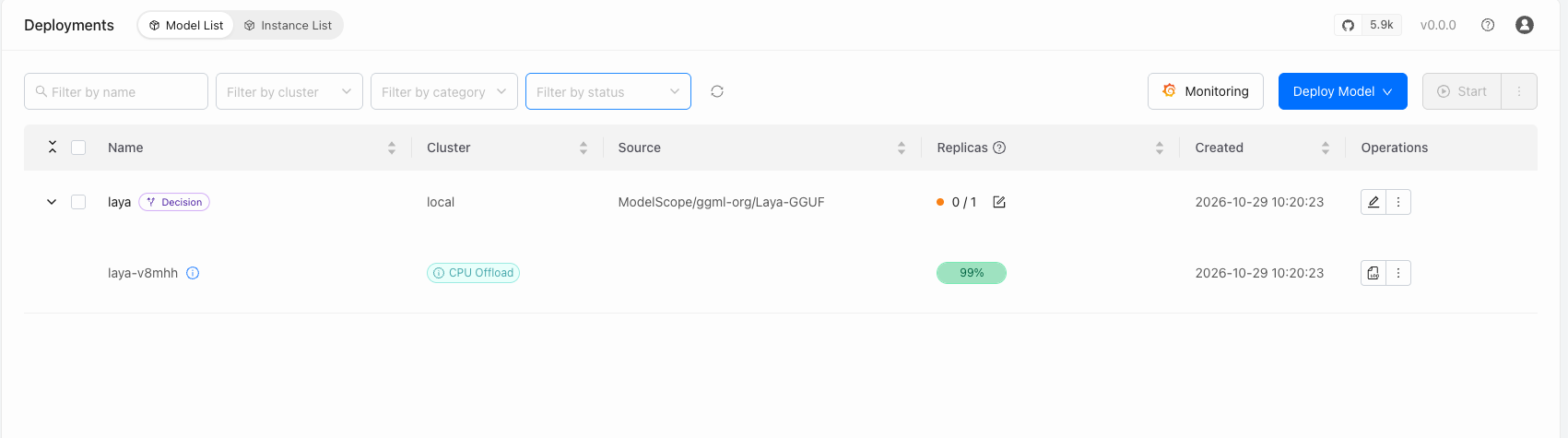
Either way, the Category column on the Models page shows Decision once the deployment is up. The category can also be corrected manually; category values are validated, so a mistyped category is rejected rather than silently stored.
Step 2: Ask a Decision
You can ask a decision either in the UI or through the API.
Via the UI
- Go to
Playground>Decision, or clickOpen in Playgroundon the model's row in theModelspage. - Select the decision model from the model selector — only models in the
decisioncategory are listed, and the model is the only parameter a decision takes. - Fill in the
Stateeditor with the situation to decide against — it is seeded with a chat-messages sample and accepts plain text or structured JSON — and theQuestionseditor with the questions to ask, seeded with achoicequestion and extendable with the+ choice,+ score, and+ noulbuttons. - Click
Run(or pressCtrl/Cmd+Enter) and read the typed answers.
See Decision Playground for details on the editors and the answer cards.
Via the API
Send a state and questions to the model via POST /v1/systemone (authenticate with an API key created on the API Keys page). The model field is required and carries the deployed model's name (or a model route name), like the OpenAI-compatible endpoints.
Here is an example script using curl:
Replace <your-server-url> with the URL of your GPUStack server and <your-api-key> with an API key created on the API Keys page.
Example response:
Each entry under questions maps a question id to one of three conventional types, and the answer for a question comes back under the same id in answers:
| Type | Meaning | criteria | Answer field |
|---|---|---|---|
choice | Pick one option | Option name → description | choice — the picked option name |
score | Score the state against ordered levels | Ordered list of level descriptions | score — the level index |
noul | Binary (yes/no) question | Optional descriptions for the true / false sides | noul — a boolean |
GPUStack resolves the model field and passes the rest of the request body, and the whole response, through to the decision engine untouched — the question set is open in the contract and engines may accept further fields.
Next Steps
- A deployed decision model can serve as the decision service of a route's Decision Service Routing policy, scoring route targets per request.
- For the full endpoint reference, see Inference APIs.