Decision Playground
The Decision Playground allows you to test decision models that answer typed questions against a given state. Compose the state and the questions, run them against a deployed decision model, and review the typed answers, with code examples for API integration.
State
The State editor holds the situation the decision is made against — plain text, or a JSON object/array such as chat messages. The editor validates JSON as you type; the state is required to run.
Questions
The Questions editor holds the questions asked about the state, as a JSON object mapping a question id to a question definition. Use the + choice, + score, and + noul buttons to insert runnable templates:
choice— pick one option fromcriteria(option name → description).score— score the state against an ordered list of levels incriteria.noul— a binary (yes/no) question.
The editor validates JSON and offers schema hints, but the question set stays open — engine-specific fields are passed through as-is.
Run
Select a decision model, then click the Run button or press Ctrl/Cmd + Enter to send the state and questions to /v1/systemone. Click Stop to cancel a running request.
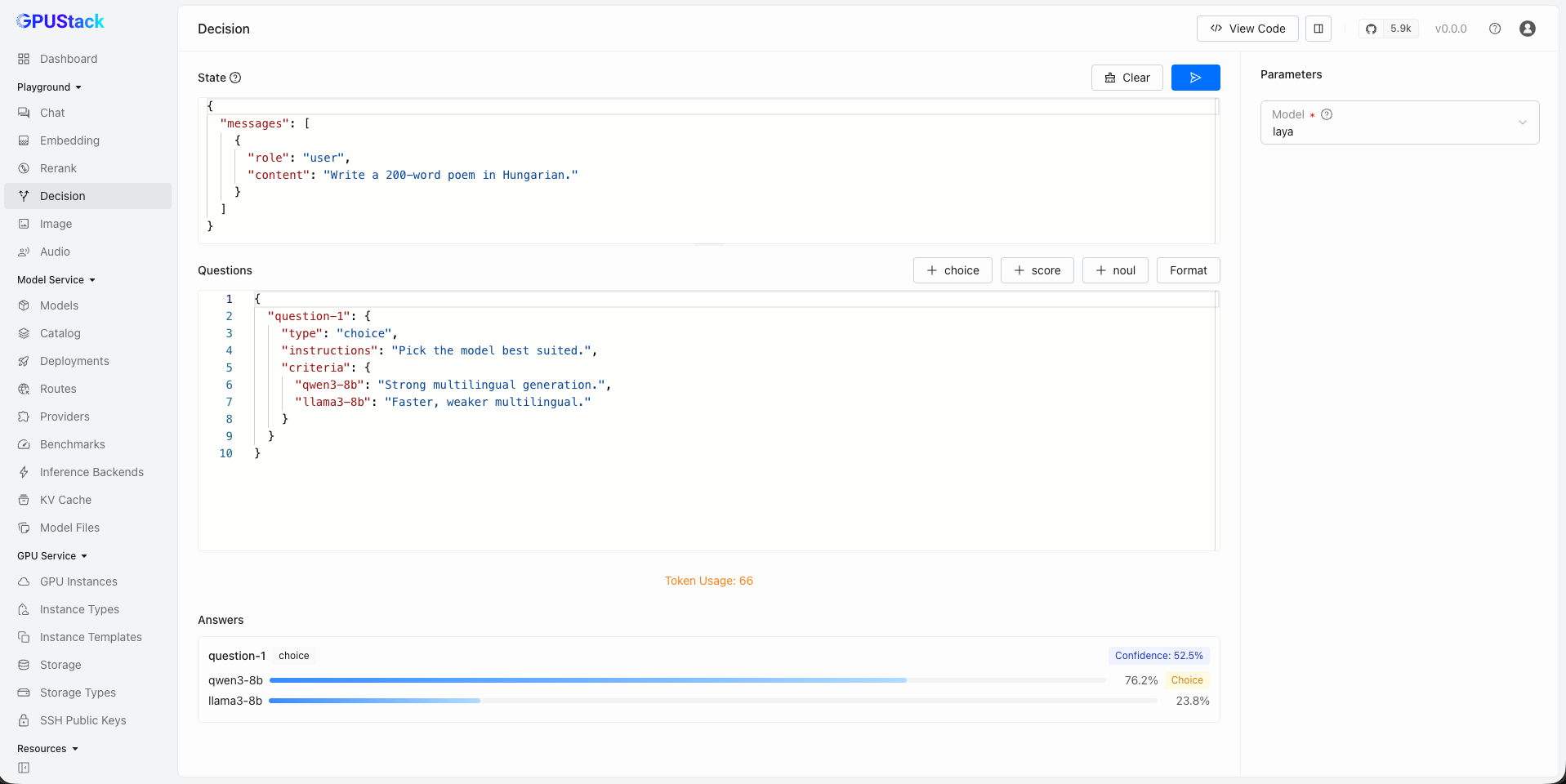
Answers
Each answer comes back under its question id, rendered as a card: the verdict (Choice, Score, or a yes/no tag for noul), its Confidence, and the per-option probabilities. A summary line above the cards shows which model answered and the token usage. Unrecognized answer shapes fall back to a raw JSON view.
Select Model
Select an available decision model in GPUStack by clicking the model dropdown at the top-right corner of the playground UI. Only models in the decision category are listed — if a model is missing, make sure it is running and correctly categorized, and adjust the category in the model's settings if needed.
View Code
After composing the state and questions, click the View Code button to see how to call the API with the same input. Code examples are provided in curl, Python, and Node.js.