GPU Service Instance Templates
GPU Service Instance Templates let you define reusable templates for GPU Service Instances.
A template captures common configuration once — image, command, ports, environment variables, and so on — so you can create multiple instances with the same settings.
Browse Templates
Navigate to the GPU Service > Instance Templates page to browse all available templates and their details.
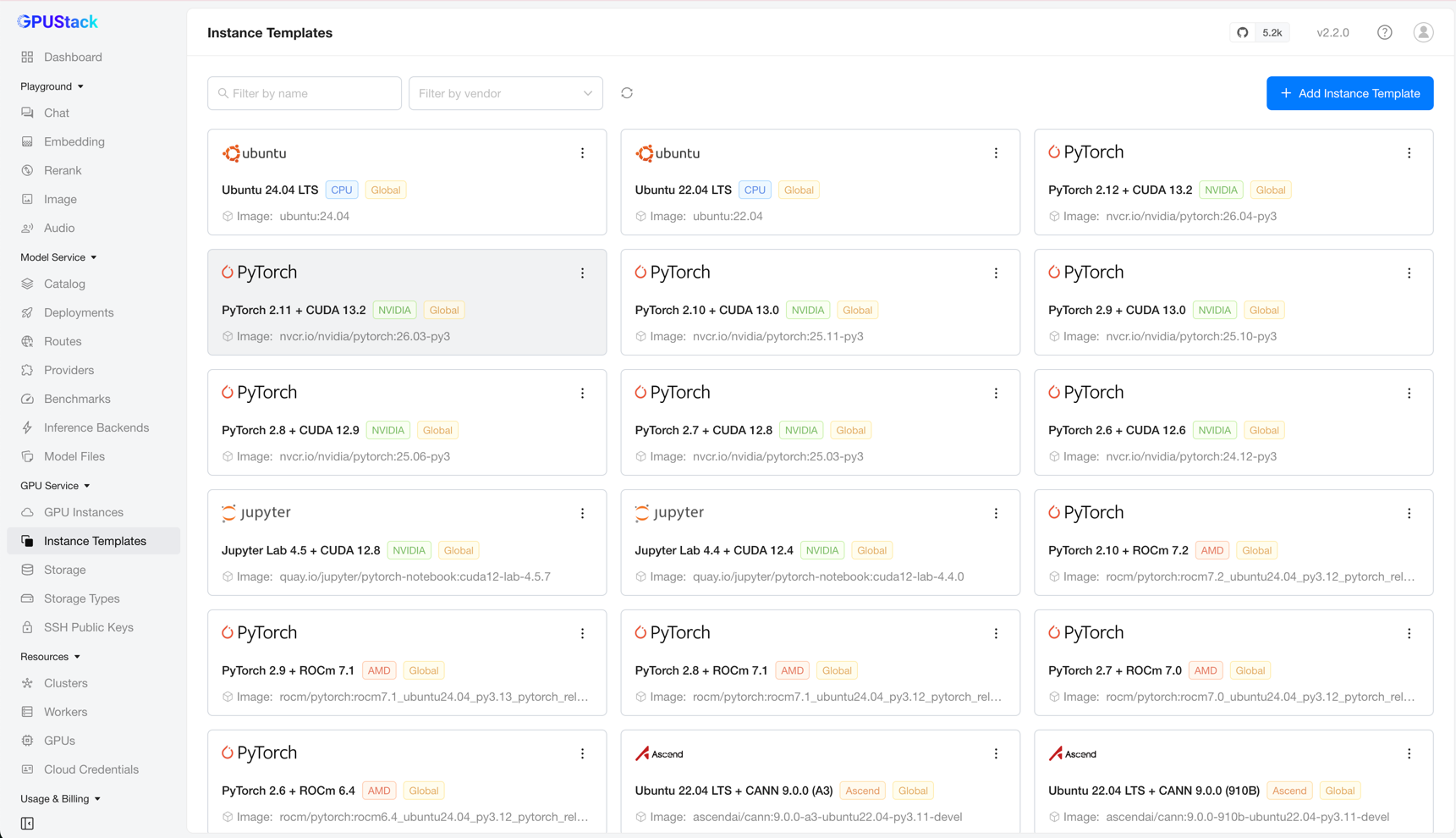
You can filter templates by name or vendor.
Adding a Template
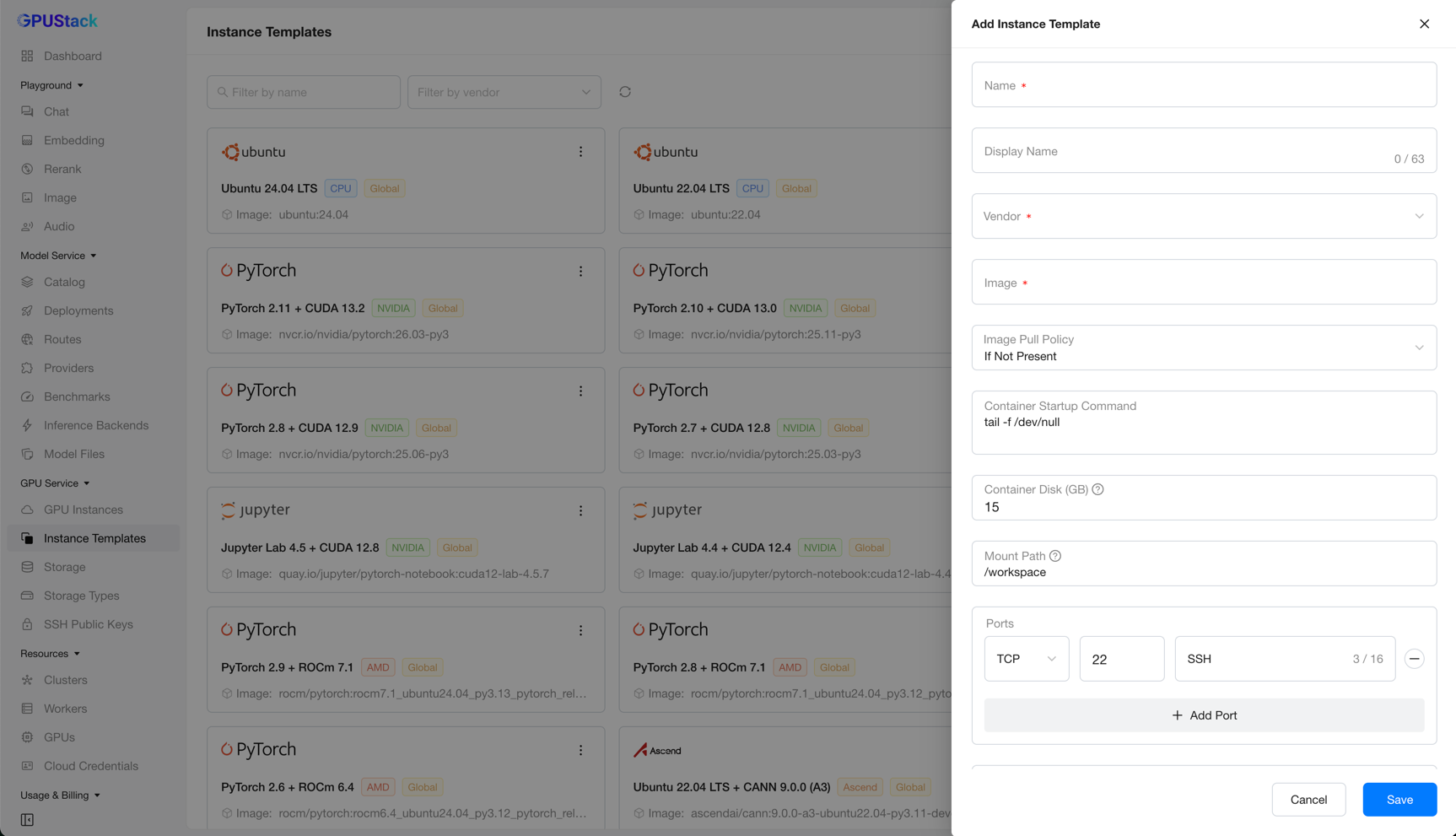
On the Instance Templates page, click Add Instance Template to open the creation form.
Note
A GPU Service Instance is essentially a Pod running on a Kubernetes cluster, so its configuration follows the rules for running containers.
A template lets you specify the following properties:
- Name: A unique identifier for the template. It is set on creation and cannot be changed afterward.
- Display Name: A user-friendly name for the template.
- Vendor: The GPU vendor (for example,
NVIDIA), orCPUfor CPU-based instances. - Image: A valid container image used by instances created from this template.
- Image Pull Policy: The policy for pulling the container image (
Always,IfNotPresent, orNever). - Container Startup Command: The command run when the container starts.
- Container Disk: The disk capacity allocated for the container root filesystem.
- Mount Path: The path inside the container where the working directory is mounted.
- Ports: The network ports exposed by the container.
- Environment Variables: The environment variables set in the container.
After filling in the required fields, click Save to create the template.
Editing a Template
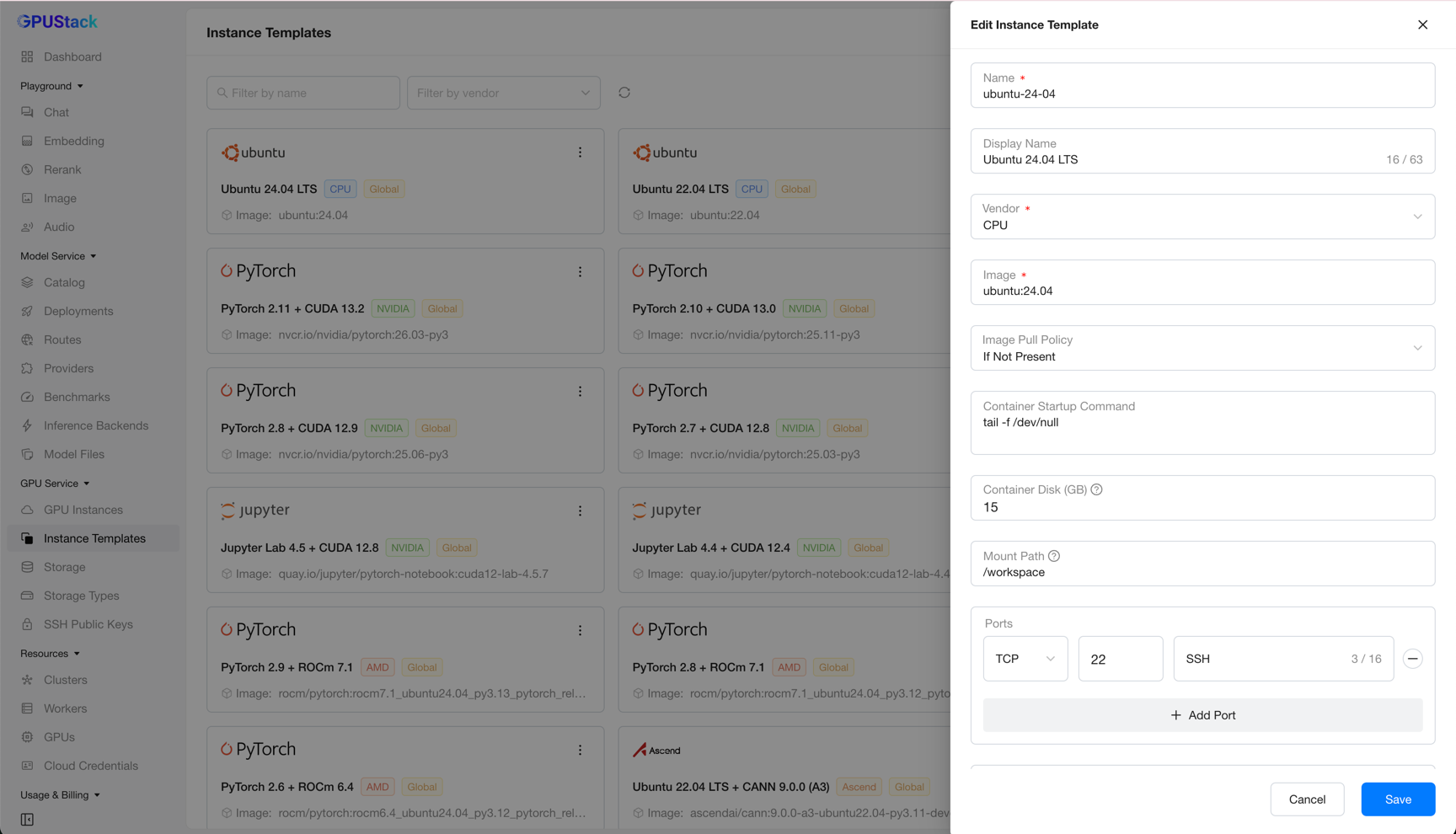
Click Edit on a template card to open its configuration, make your changes, and click Save.
Deleting a Template
Click Delete on a template card and confirm. The template is then removed from the list.
Deploying from Templates
Once your templates are defined, you can deploy instances from them on the GPU Service Instances page.