Adding a GPU Cluster Using Kubernetes
GPUStack supports adding a Kubernetes cluster as a GPU cluster.
Preparation
A Kubernetes cluster should be built with runtime class installed and configured on all nodes. In this tutorial, we will use a k3s cluster as example.
Create Kubernetes Cluster
Please refer to the steps in Register Kubernetes Cluster
When creating a Kubernetes cluster, you can configure the following options:
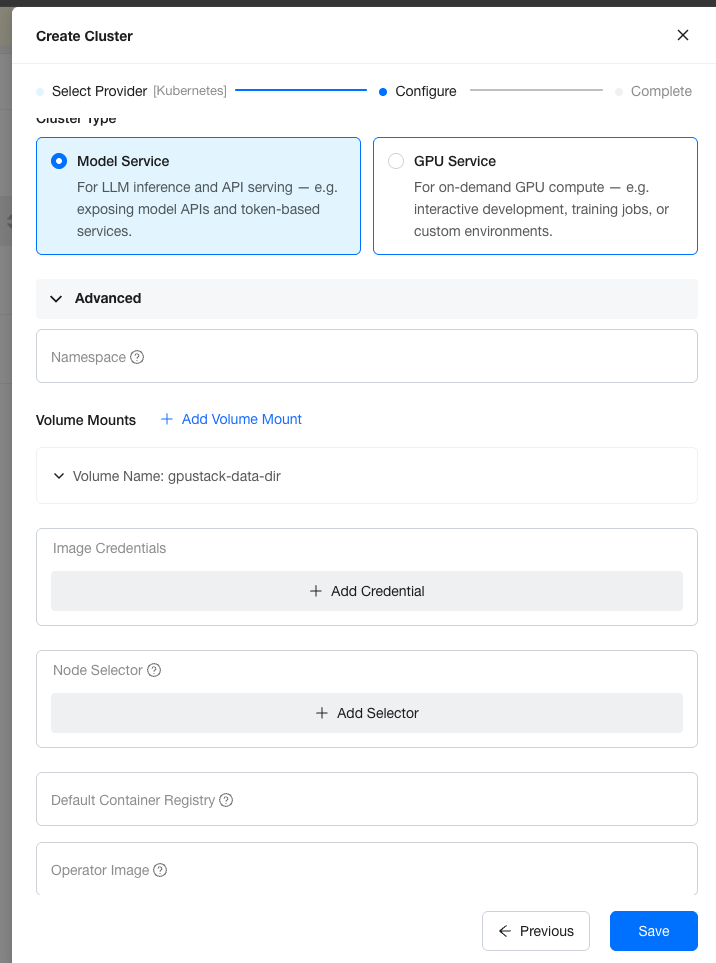
Click Save to create the cluster.
Once the Kubernetes provider cluster is created, select the GPU Vendors you need. You can select multiple vendors, or none at all.
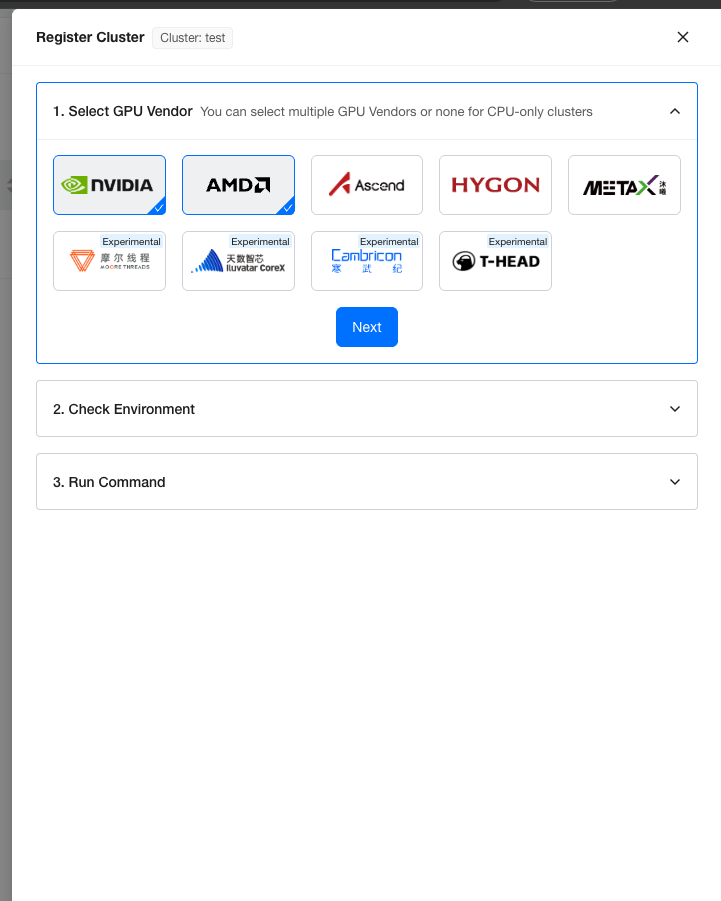
Click Next to get the environment check script, which verifies that the cluster is ready to register. Run the script on the host where k3s is installed.
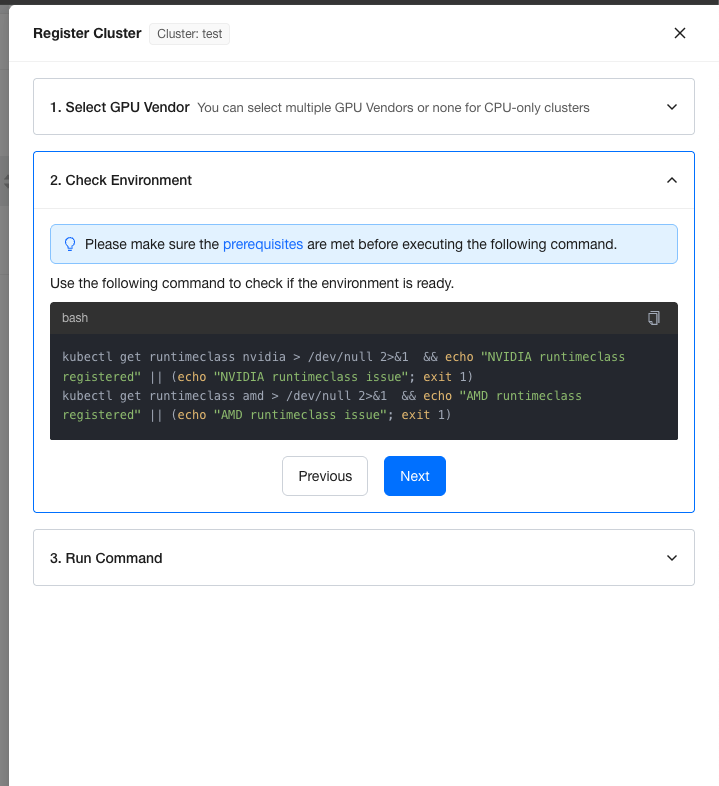
Please keep in mind that, the runtimeclass resource in k8s is just a data record and doesn't represent the container runtime is well configured in every node. Make sure the container runtime for specified GPU vendor is configured or the worker won't be able to start.
Copy the script in Run Command step and run it in the k3s installed host.
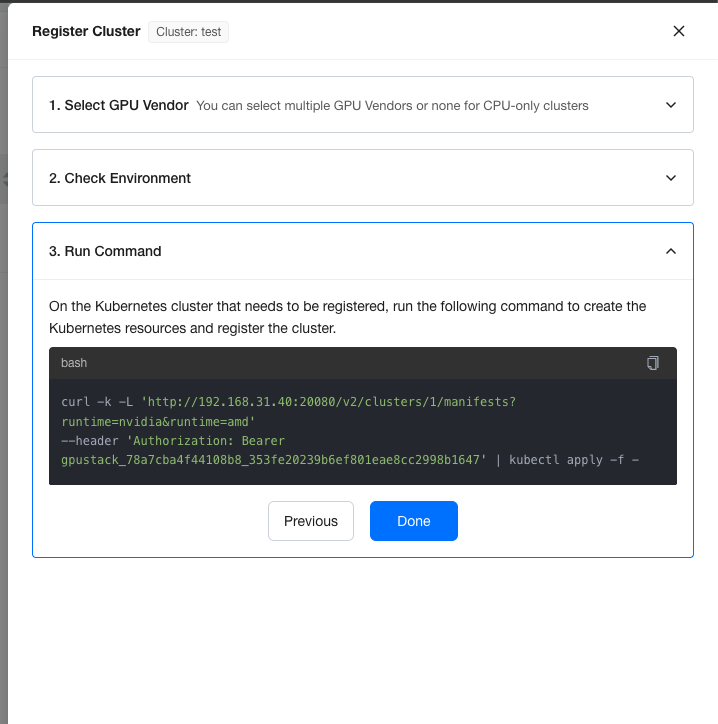
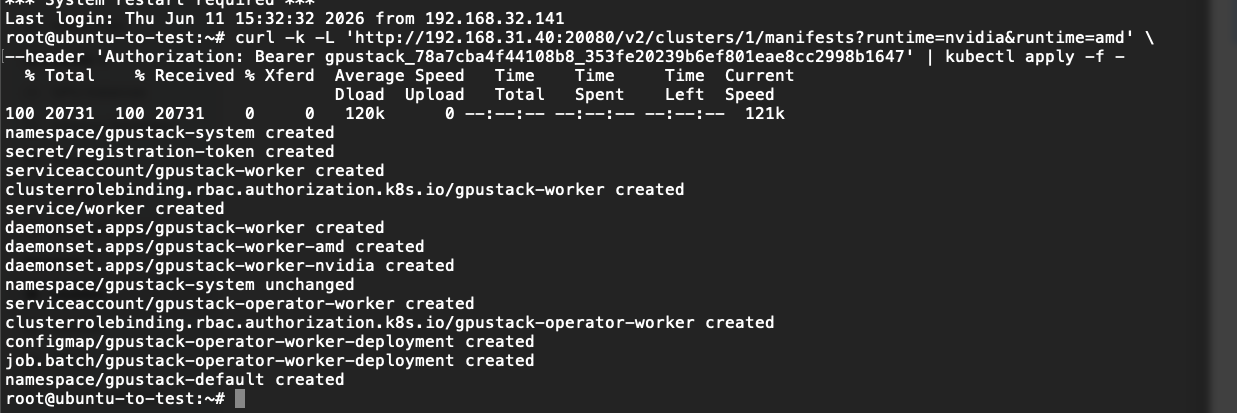
Waiting for Workers to be Provisioned
After applied the manifests into the Kubernetes cluster, we can wait for the worker nodes populated in Workers Page.
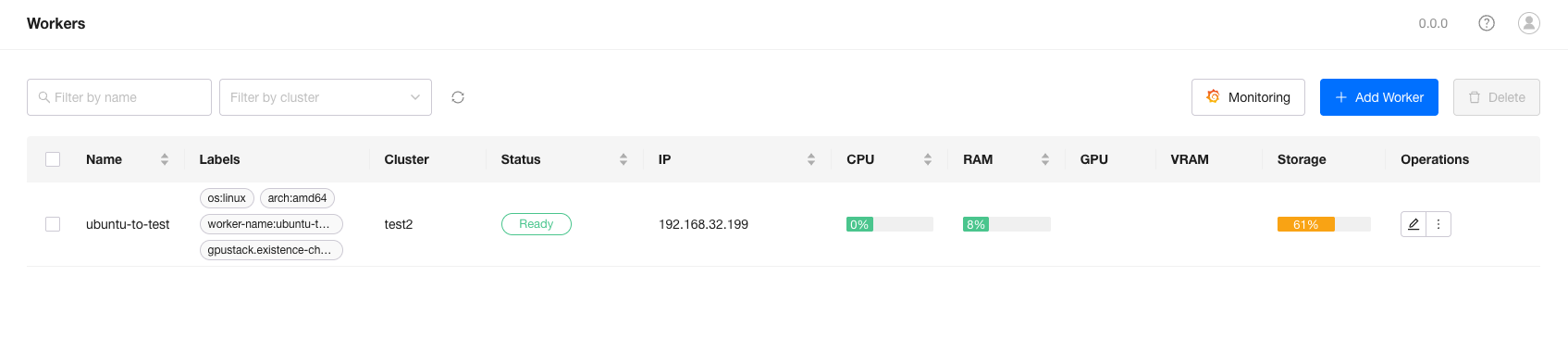
Once the worker reaches the Ready status, you can deploy models on it.