Integrate with Cherry Studio
Cherry Studio integrates with GPUStack to leverage locally hosted LLMs, embeddings, and reranking capabilities.
Deploying Models
-
In GPUStack UI, navigate to the
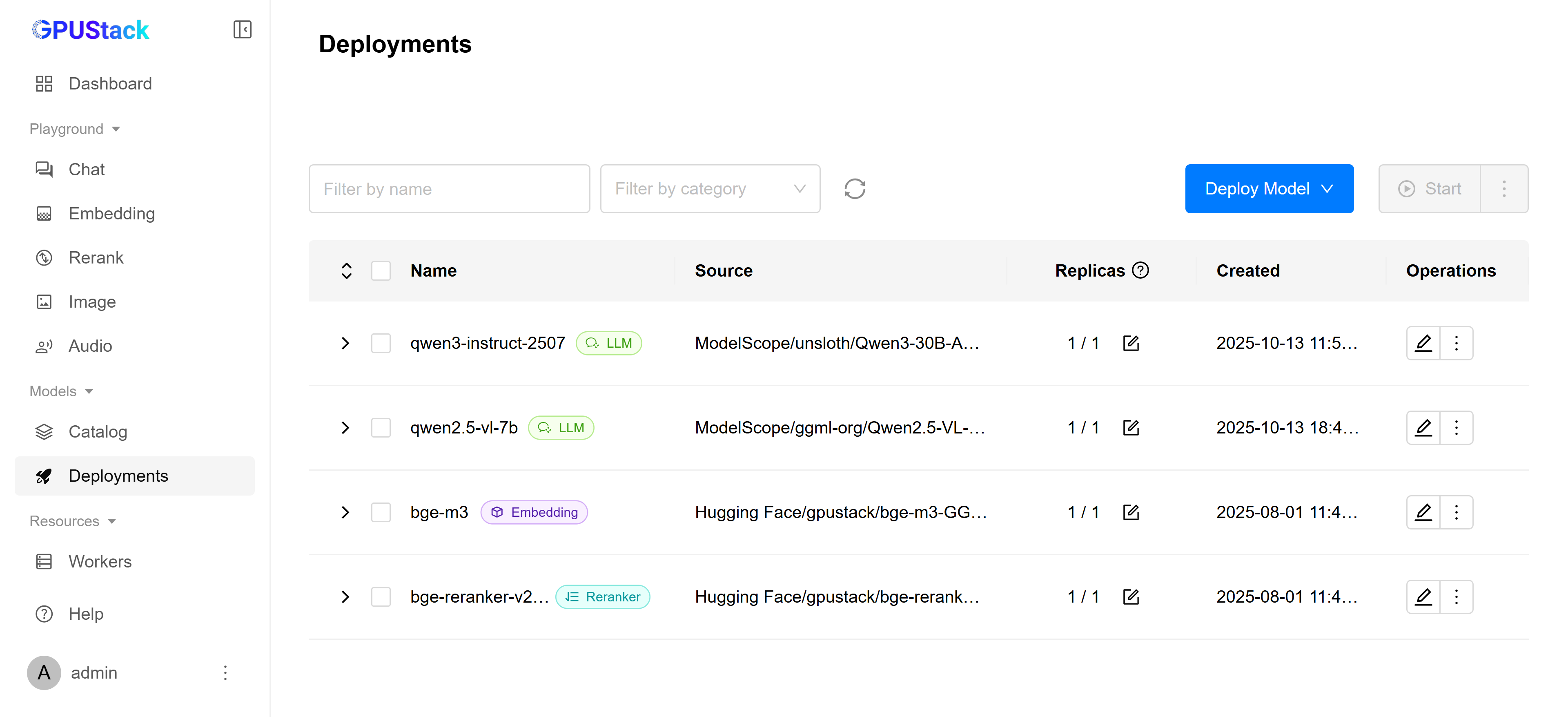
Deploymentspage and click onDeploy Modelto deploy the models you need. Here are some example models:- qwen3-instruct-2507
- qwen2.5-vl-7b
- bge-m3
- bge-reranker-v2-m3
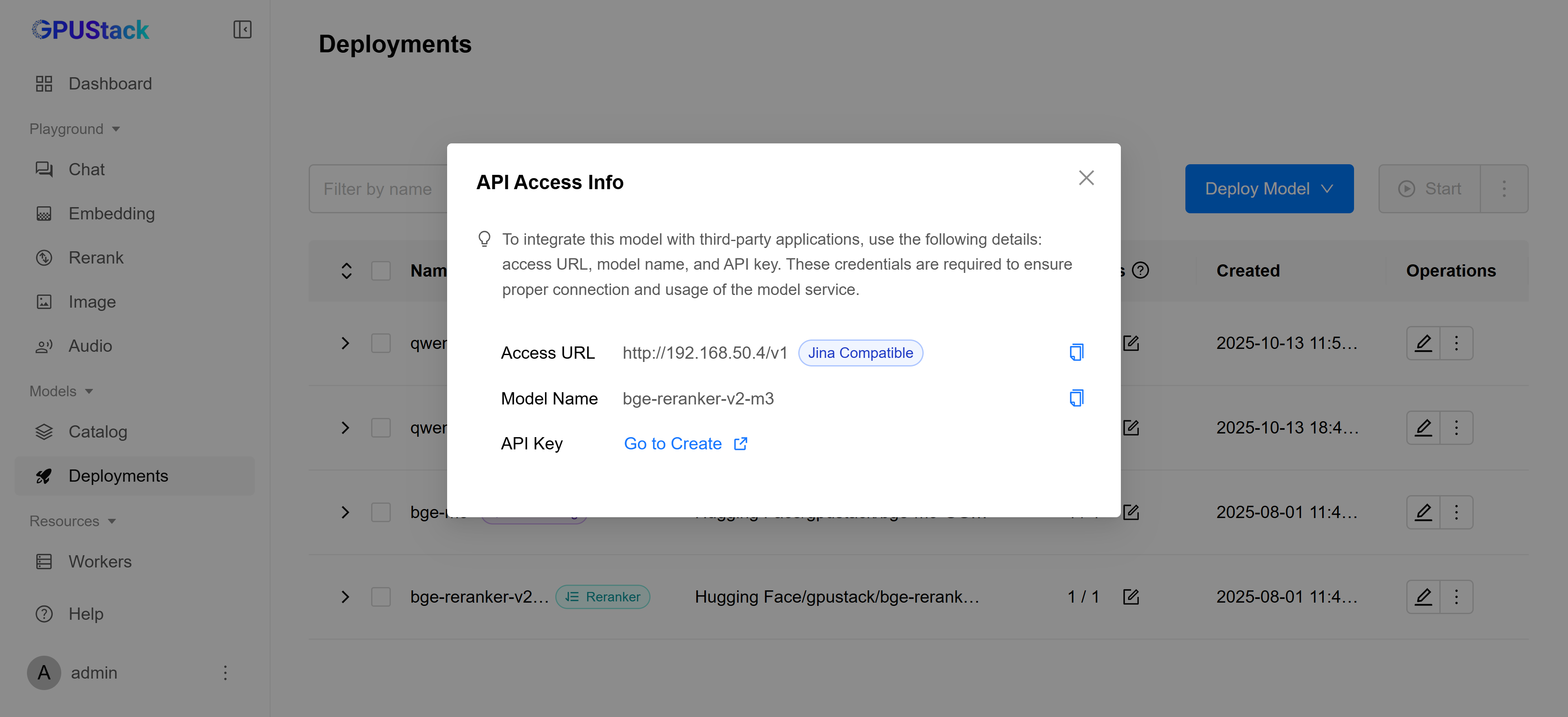
- In the model’s Operations, open
API Access Infoto see how to integrate with this model:
Create an API Key
-
Navigate to the
Access Control>API Keyspage, then click onNew API Key. -
Fill in the name, then click
Save. -
Copy the API key and save it for later use.
Integrating GPUStack into Cherry Studio
-
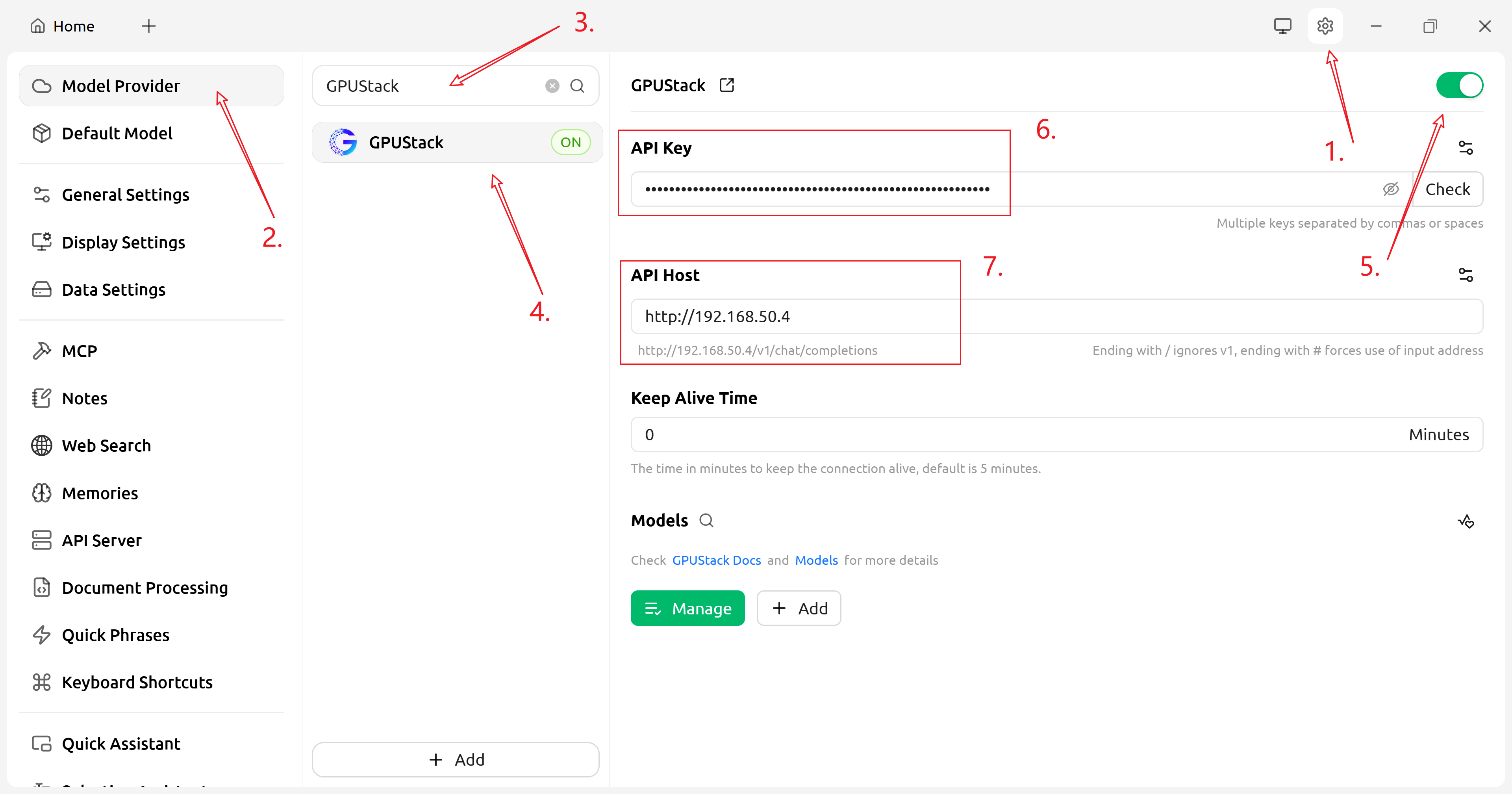
Open Cherry Studio, go to
Settings→Model Provider, find GPUStack, enable it, and configure it as shown:-
API Key: Input the API key you copied from previous steps. -
API Host:Access URLin theAPI Access Infopanel.
-
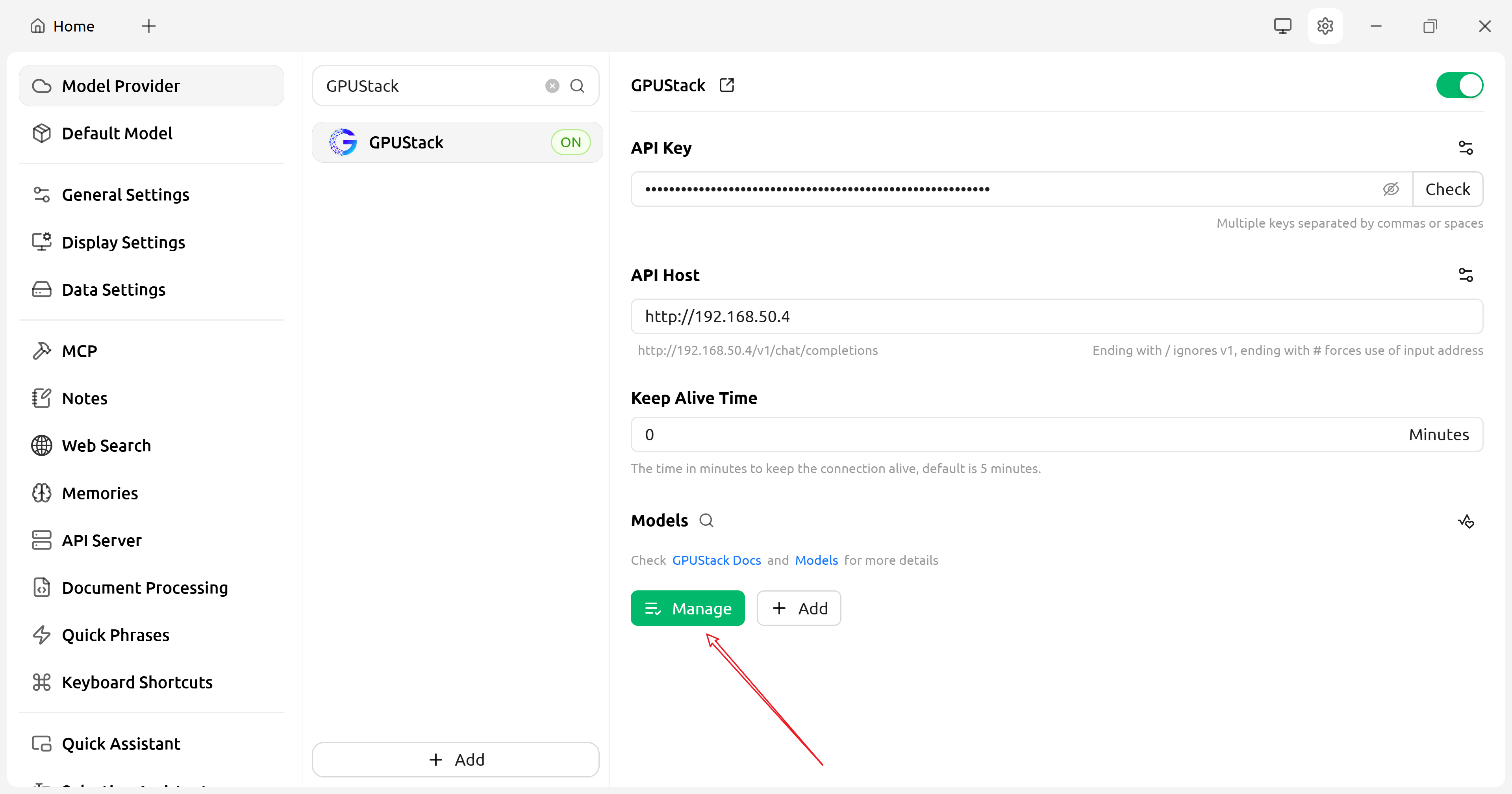
- In the GPUStack provider configuration, click "Manage" and enable the models you need:
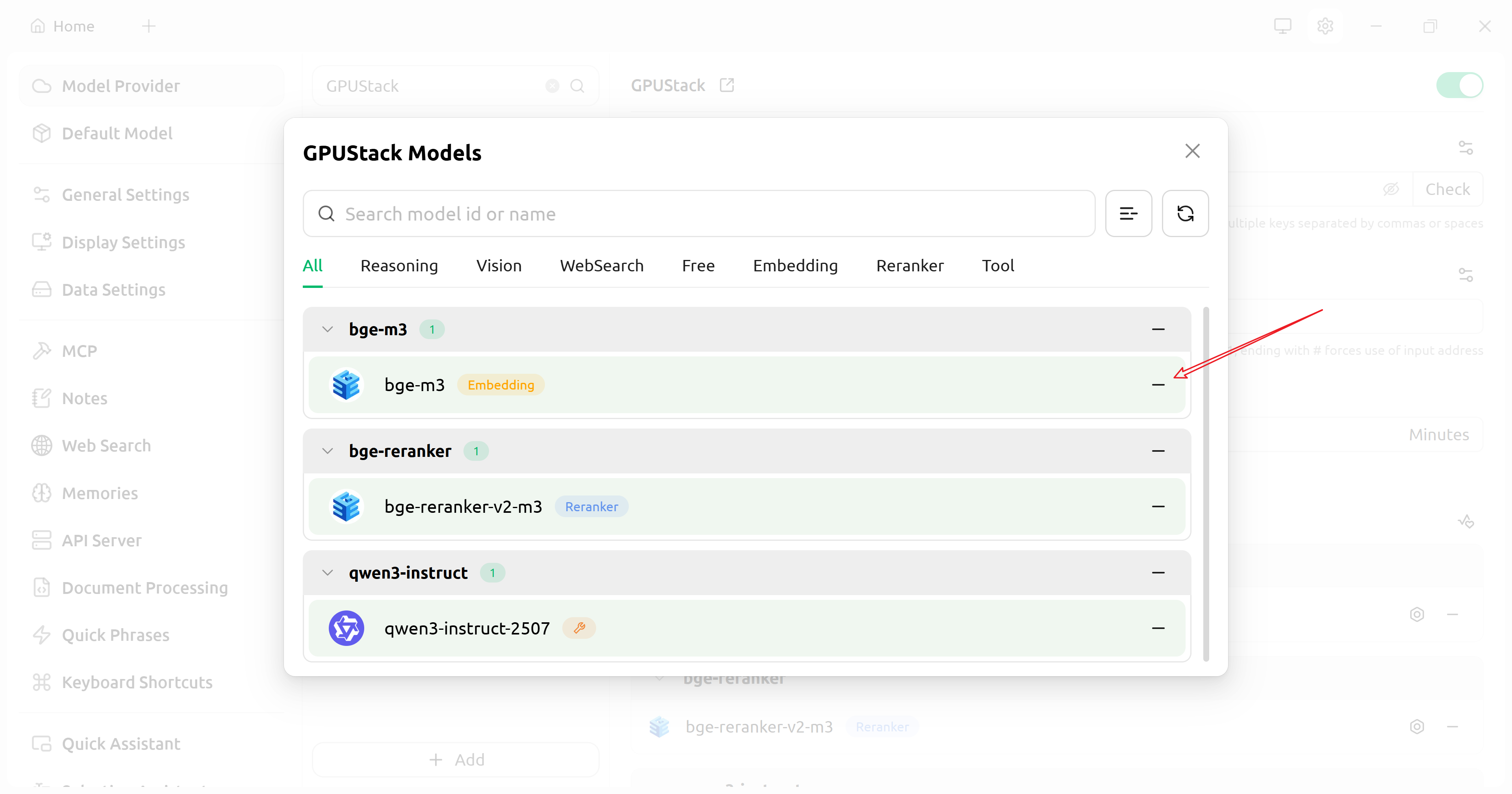
- (Optional) Test the API:
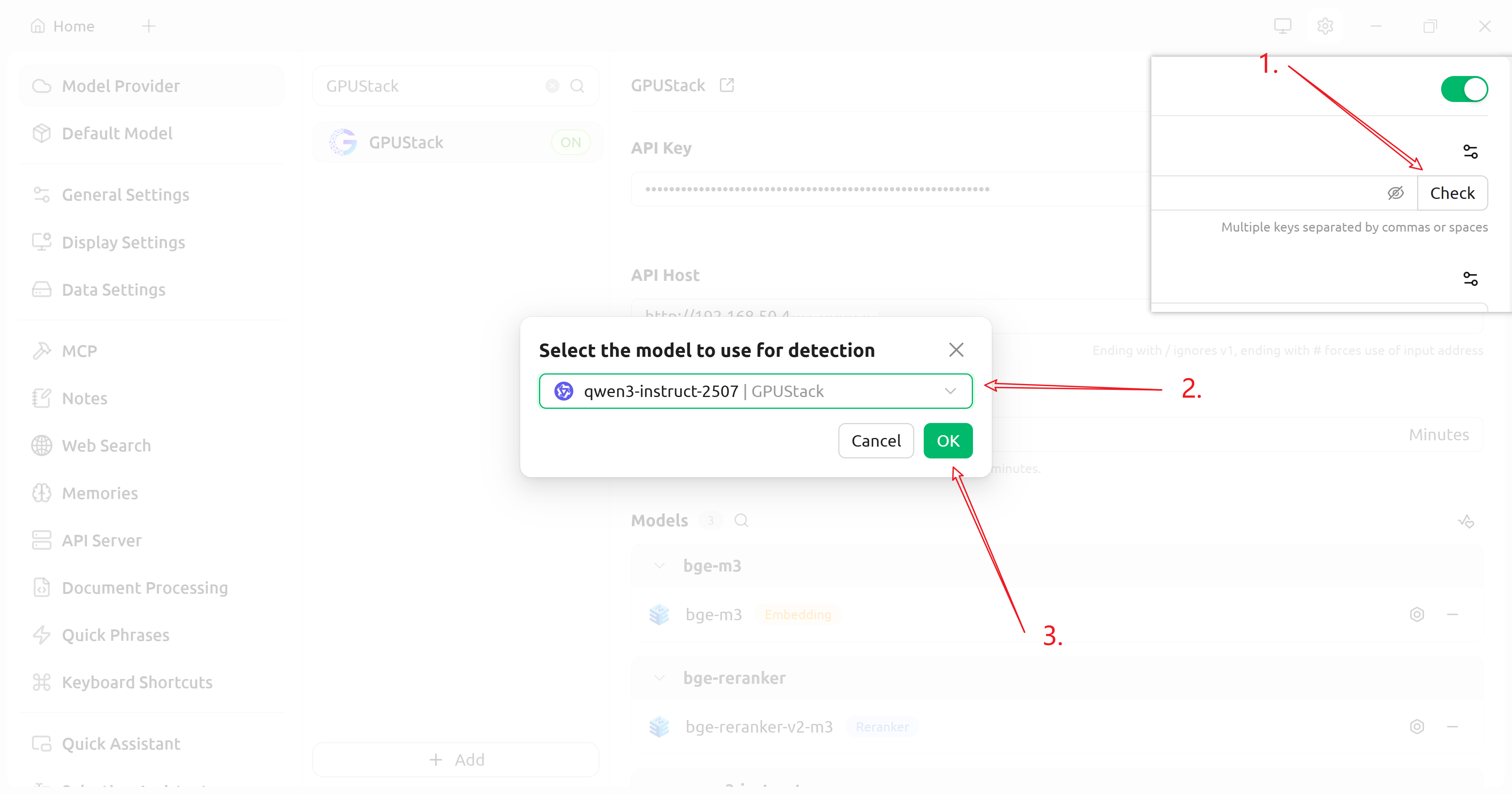
After configuration, return to the Cherry Studio home page and start using your models.
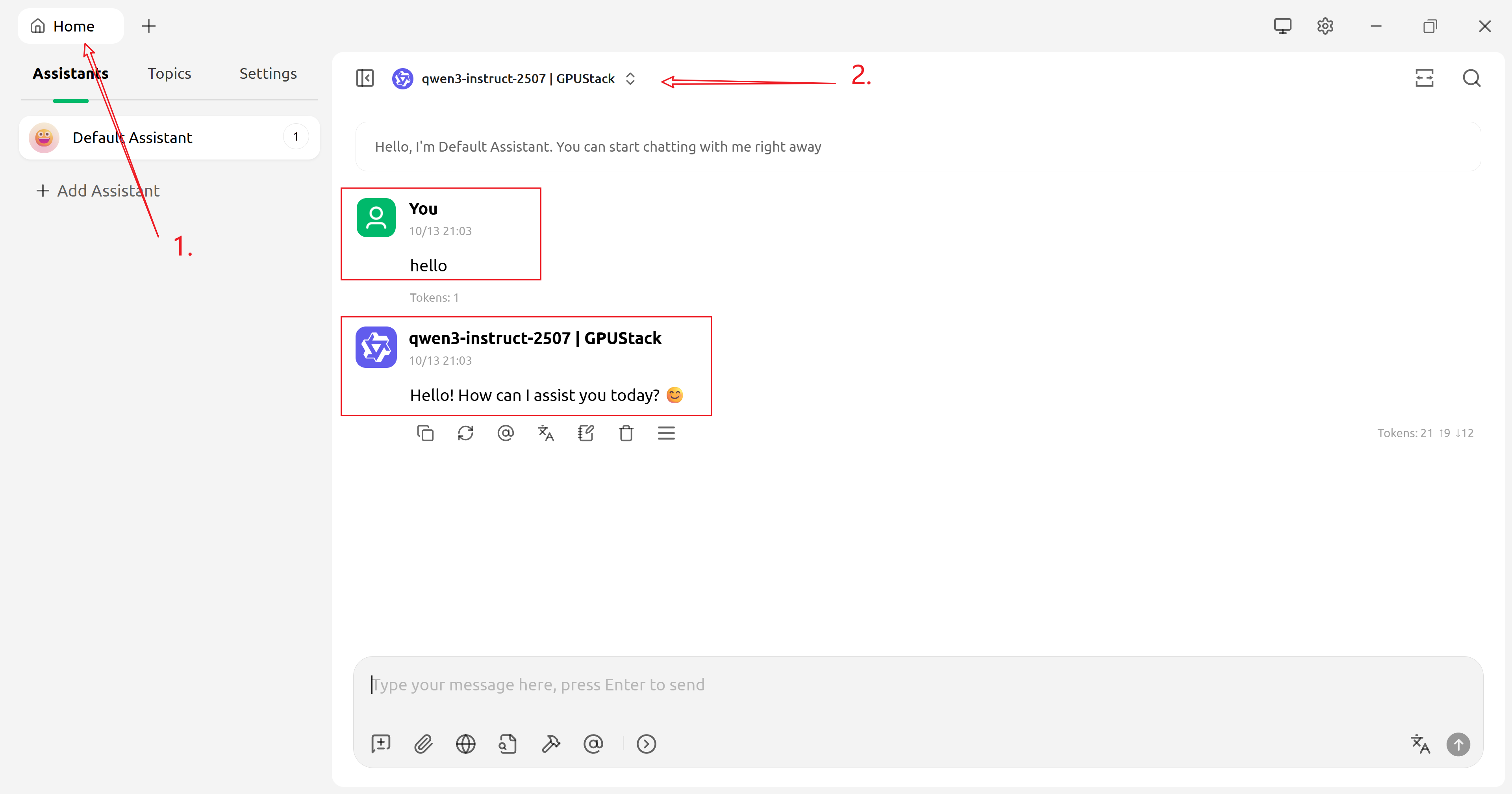
Using LLMs
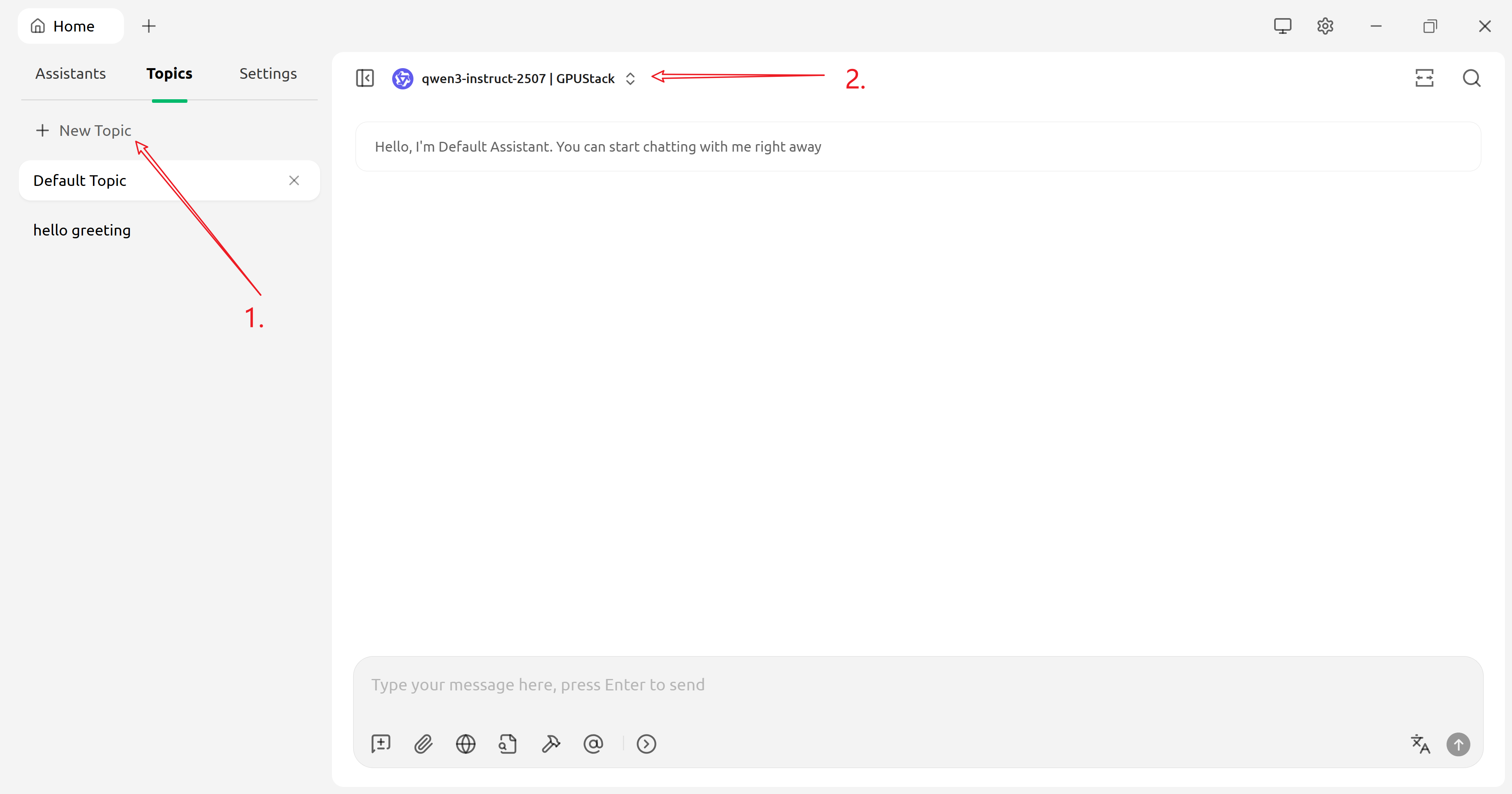
Using Multimodal Models
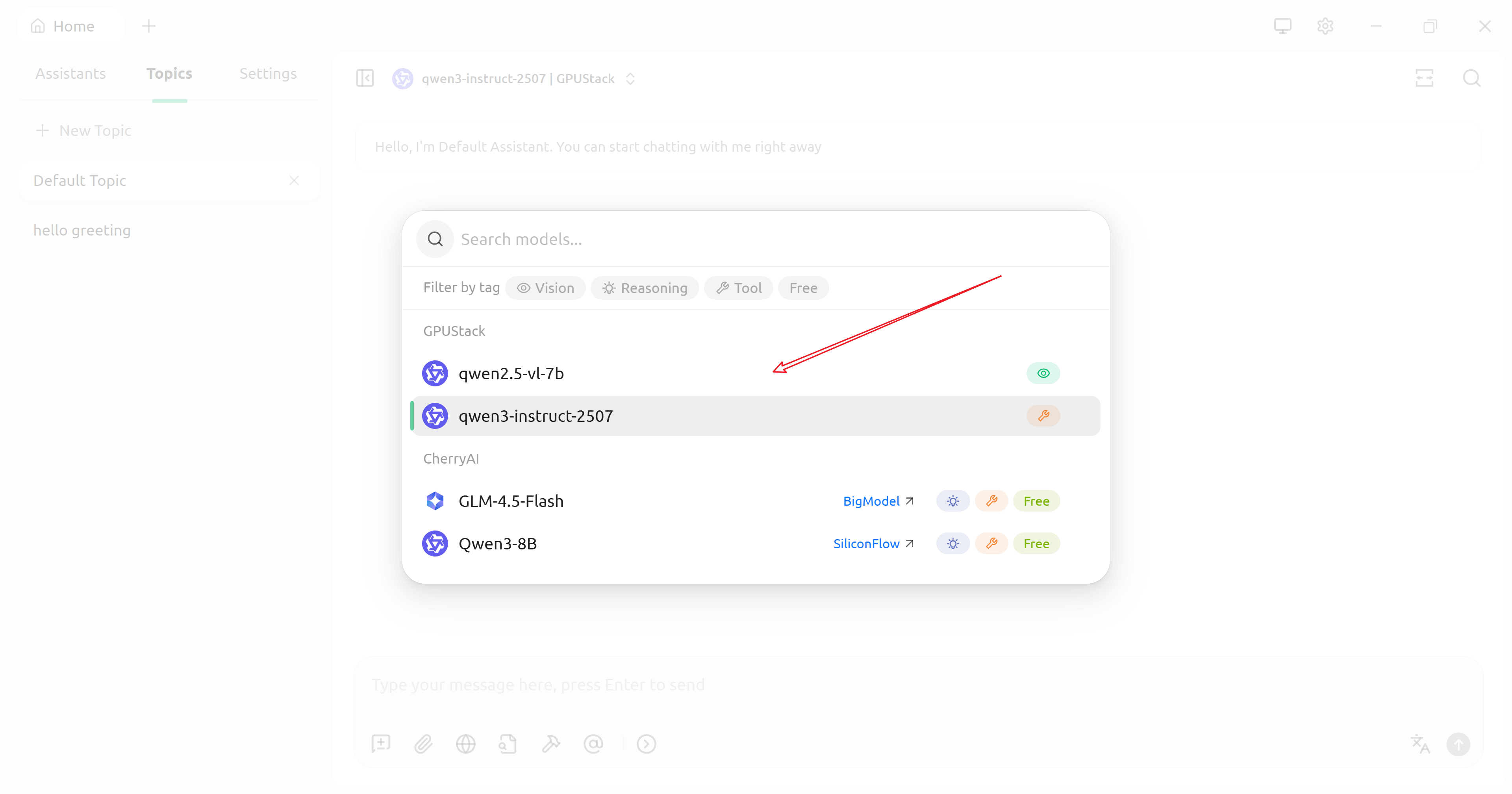
- Select a multimodal model:
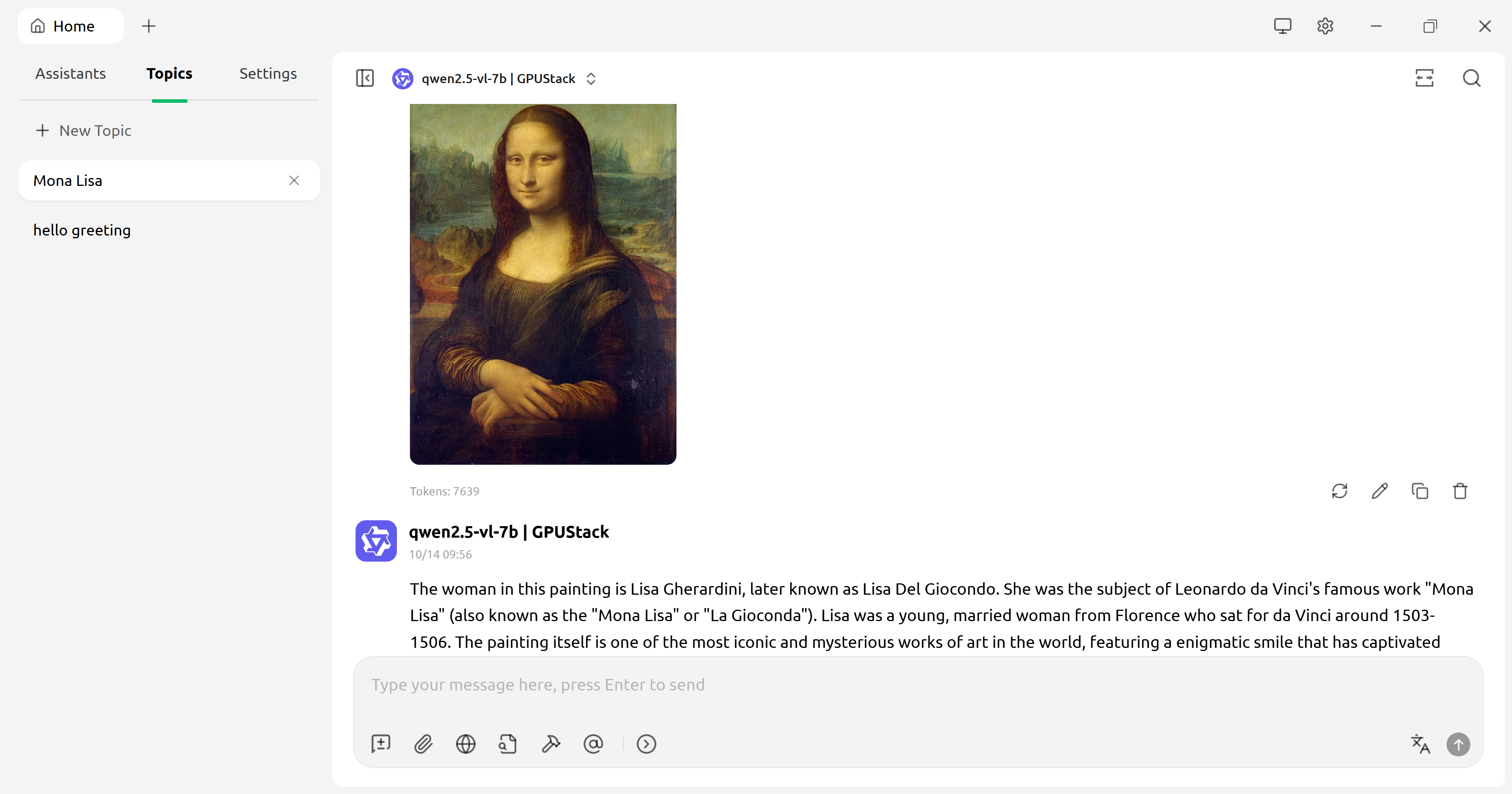
- Ask multimodal questions:
Use Embeddings and Reranking to Improve Knowledge Base Q&A
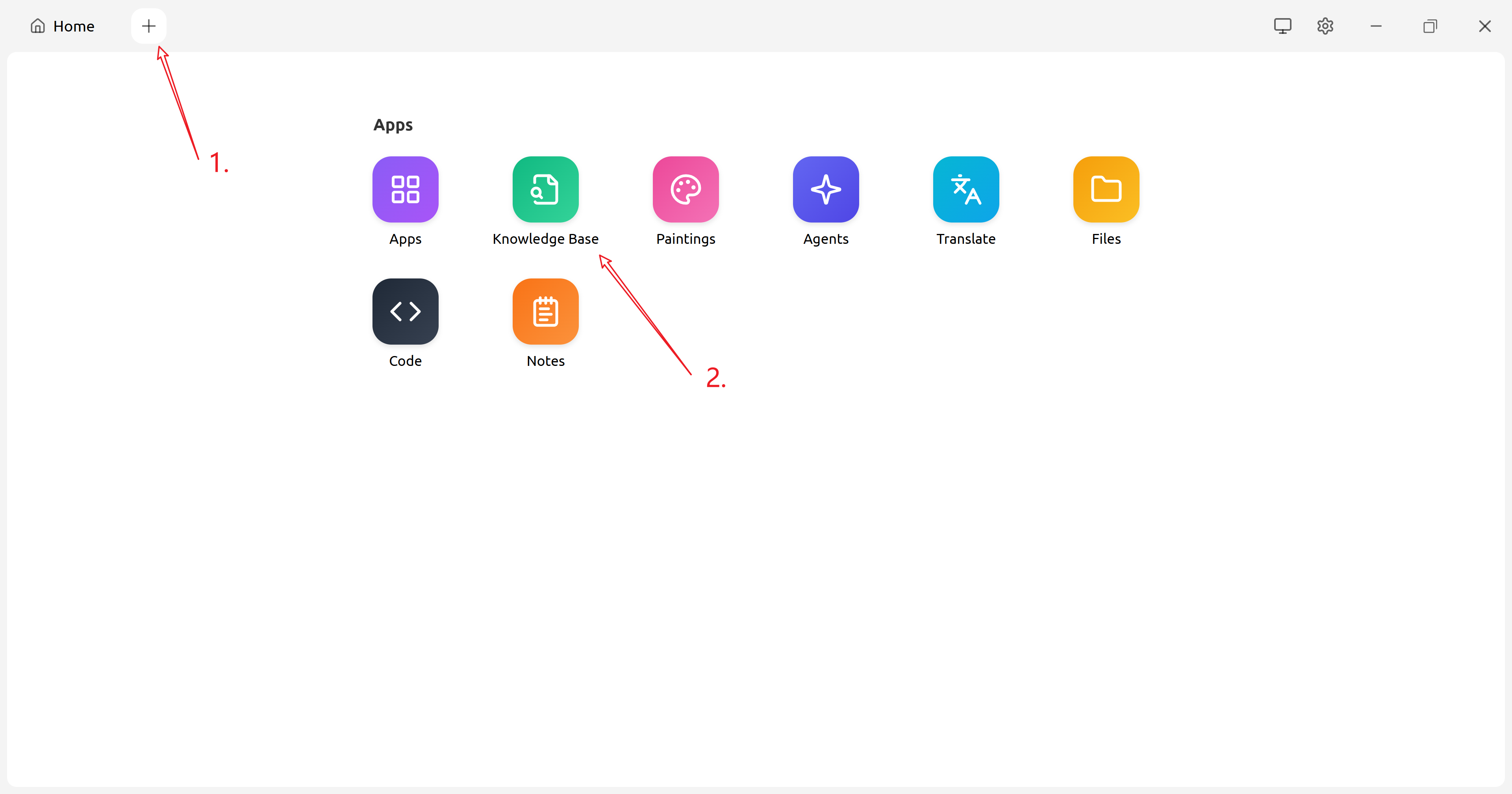
- Open the Knowledge Base configuration page:
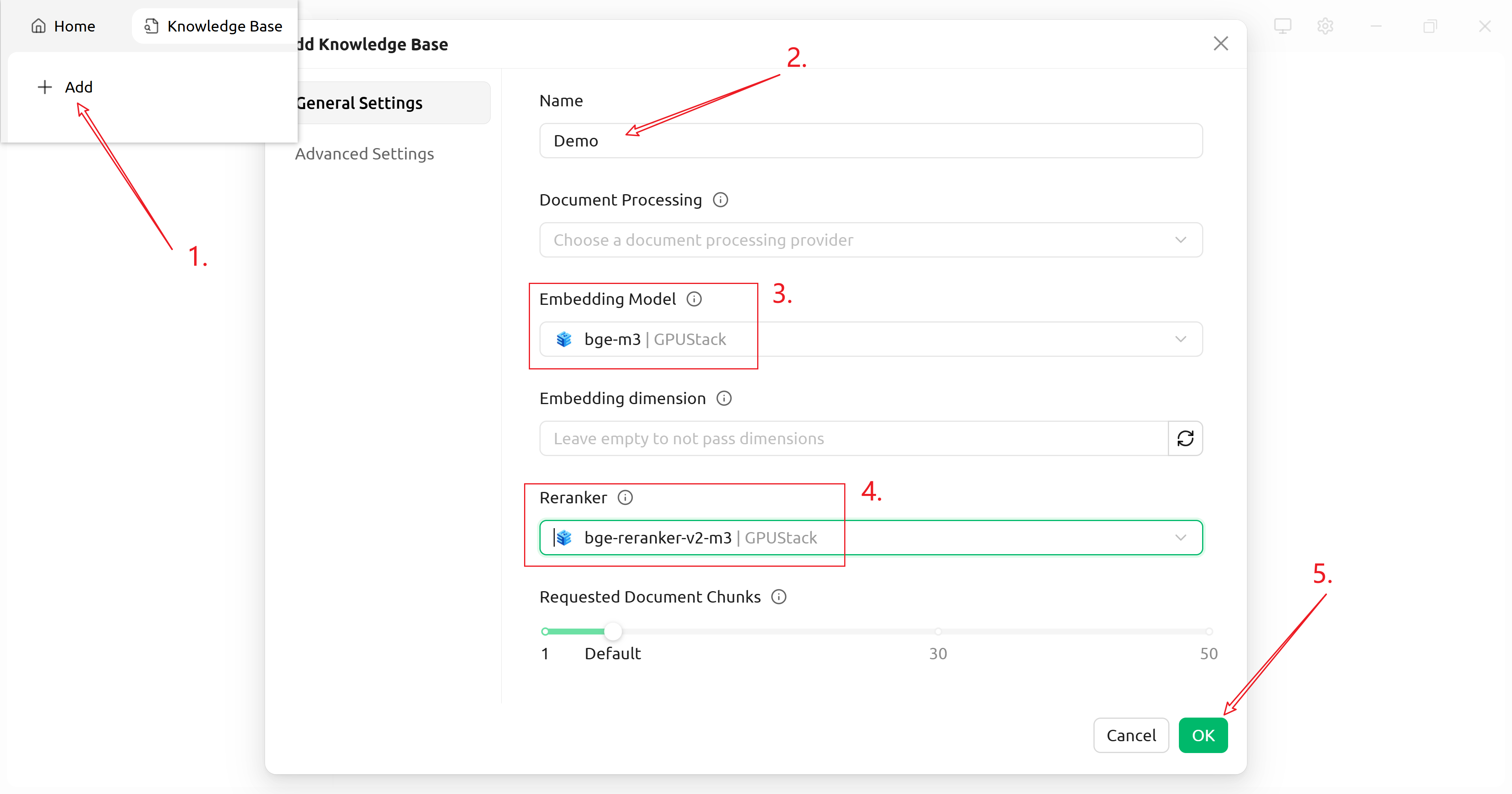
- Add a knowledge base:
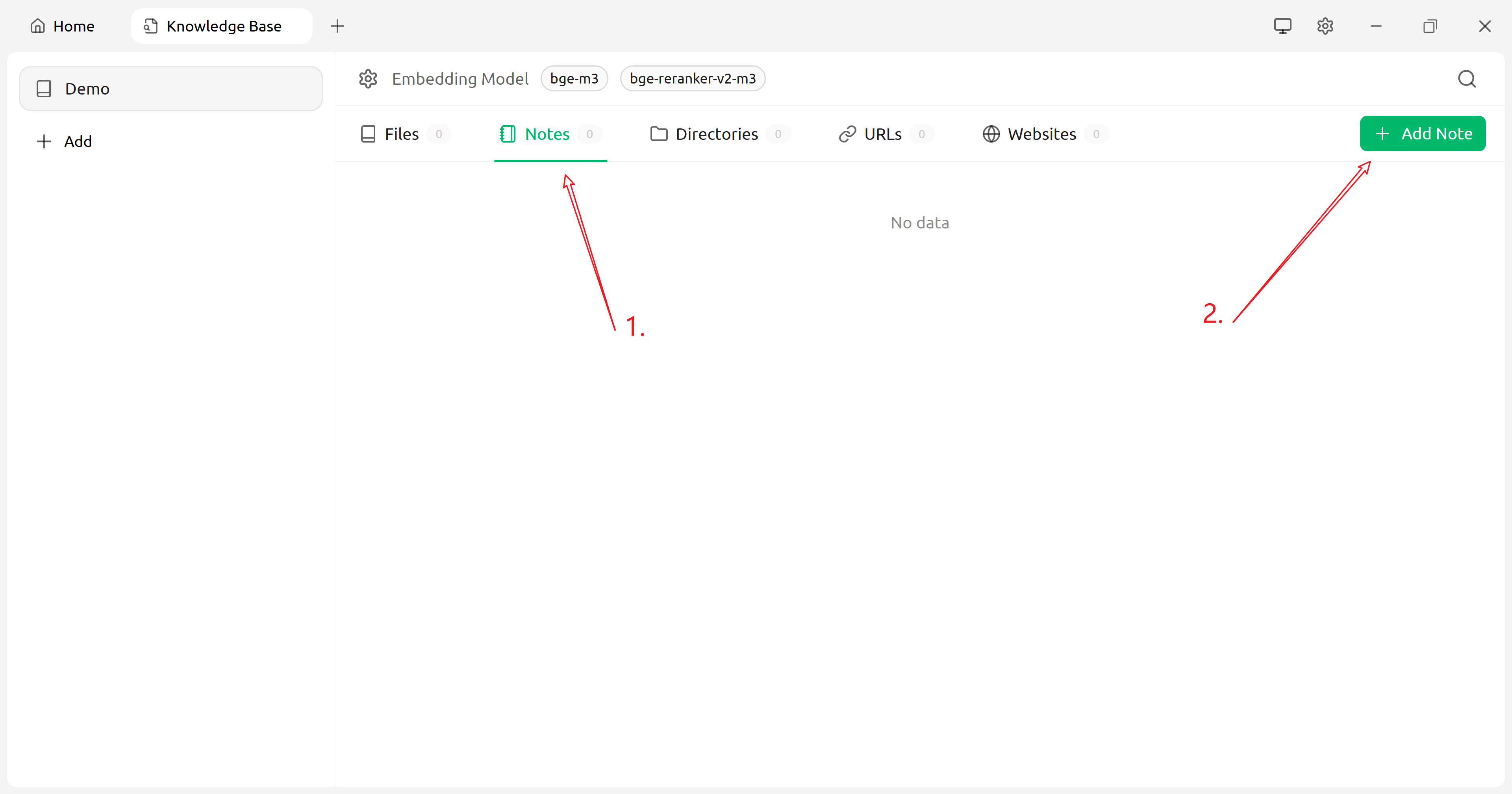
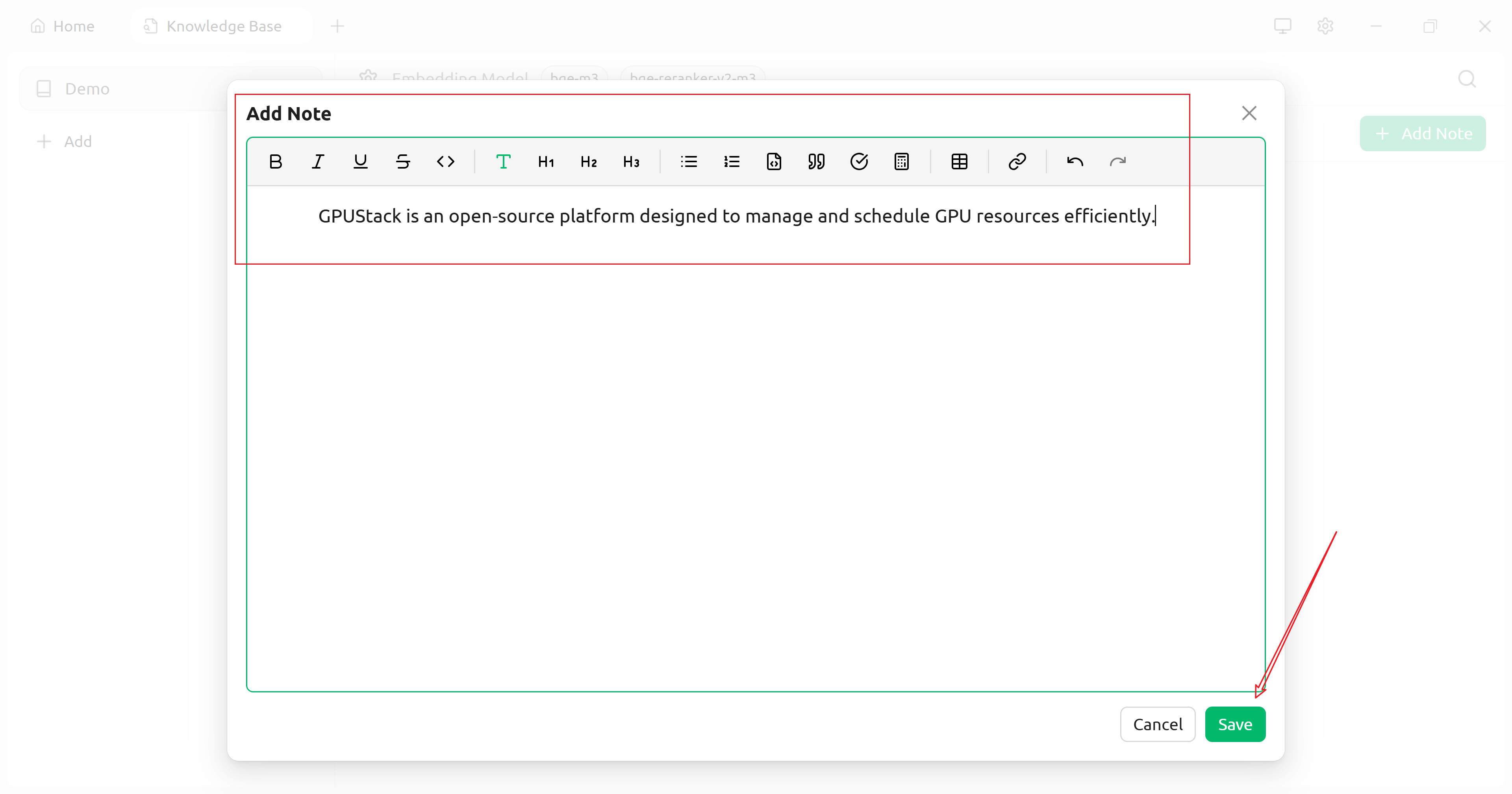
- Add content to the knowledge base (using “Notes” as an example):
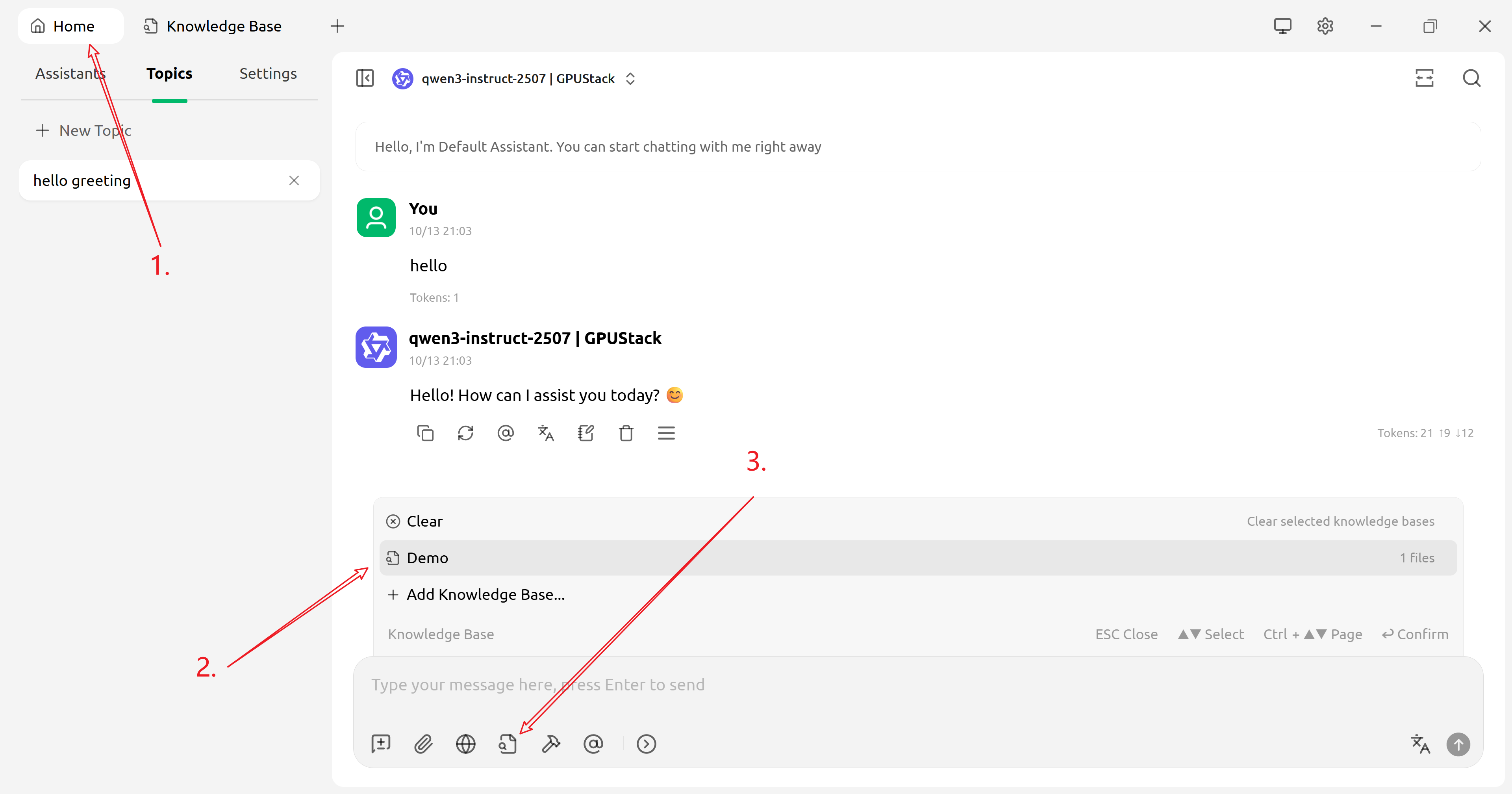
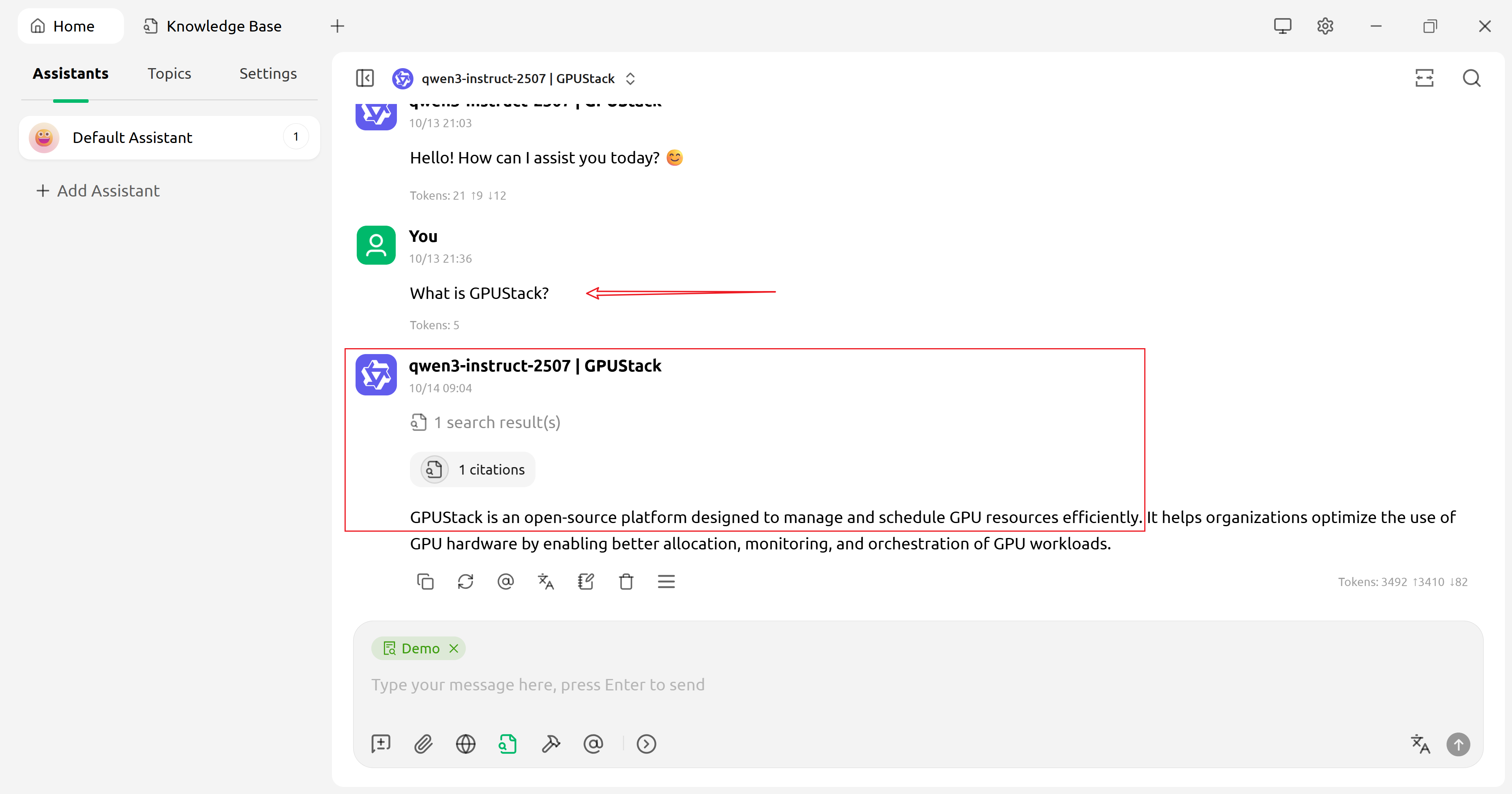
- Return to the home page and use knowledge base Q&A: